Start with where you work
Research basis: DelaTechHQ has not physically tested these laptops. This article interprets manufacturer documentation accessed on 24 September 2026. It contains no measured performance or battery results. Product photographs are credited third-party images, not our test units.
These are different sizes and generations, so this comparison does not isolate the effect of M5 versus M4. It asks a practical question: do you prioritize carrying convenience or a larger screen when you are away from a monitor? Neither preference establishes a universal winner. See the 13-inch M5 review and 15-inch M4 review for individual limitations.
What the comparison table measures
The table uses three equally weighted preference criteria. Carrying convenience scores 5 at no more than 1.3kg and 3 above 1.3kg up to 1.6kg. Built-in workspace scores 5 for at least 15 inches and 3 for 13–14 inches. Desk expansion scores 4 for two Thunderbolt ports, dedicated charging and support for two external displays alongside the laptop screen. These thresholds describe this article’s priorities; they are not lab measurements or a display-quality test.
The smaller Air scores 5, 3 and 4; the larger Air scores 3, 5 and 4. Both average 4, so the comparison result is “Workflow dependent.” If carrying weight matters much more than screen size, prefer the smaller format. If you seldom carry the laptop and work without a monitor, put screen space first. We do not score performance, battery, price or reliability from insufficient evidence.
Configuration and connection differences
Both documented model ranges start at 16GB memory and offer 24GB/32GB options. The 13-inch M5 starts with 512GB storage; the historical 15-inch M4 base specification starts with 256GB. Match actual configurations before comparing quotes. A higher storage tier does not tell you how quickly an application will run, and an older listing may differ from the original base specification.
Both provide MagSafe and two Thunderbolt 4 ports. Their external-display capabilities must be checked at the resolution and refresh rate you intend to use. Use Apple’s M5 specification and M4 15-inch specification, then confirm the dock and cable requirements. Read the USB-C explanation before assuming a connector guarantees compatibility.
Software and purchase checks
Both are Mac options; confirm your essential applications and organization’s device requirements before changing platform or hardware. This comparison does not promise future update duration. For the older M4, identify the exact unit and inspect condition, included accessories and return terms. No verified stock or current pricing is provided, so a price-based winner would be premature.
Recommendation
Choose by work location first, then configuration and actual purchase terms. Keep a working laptop if neither option solves a clear problem. For a more constrained configuration, include the Neo review in your research. The three-option guide connects these decisions.
Browse Laptops and the author profile.
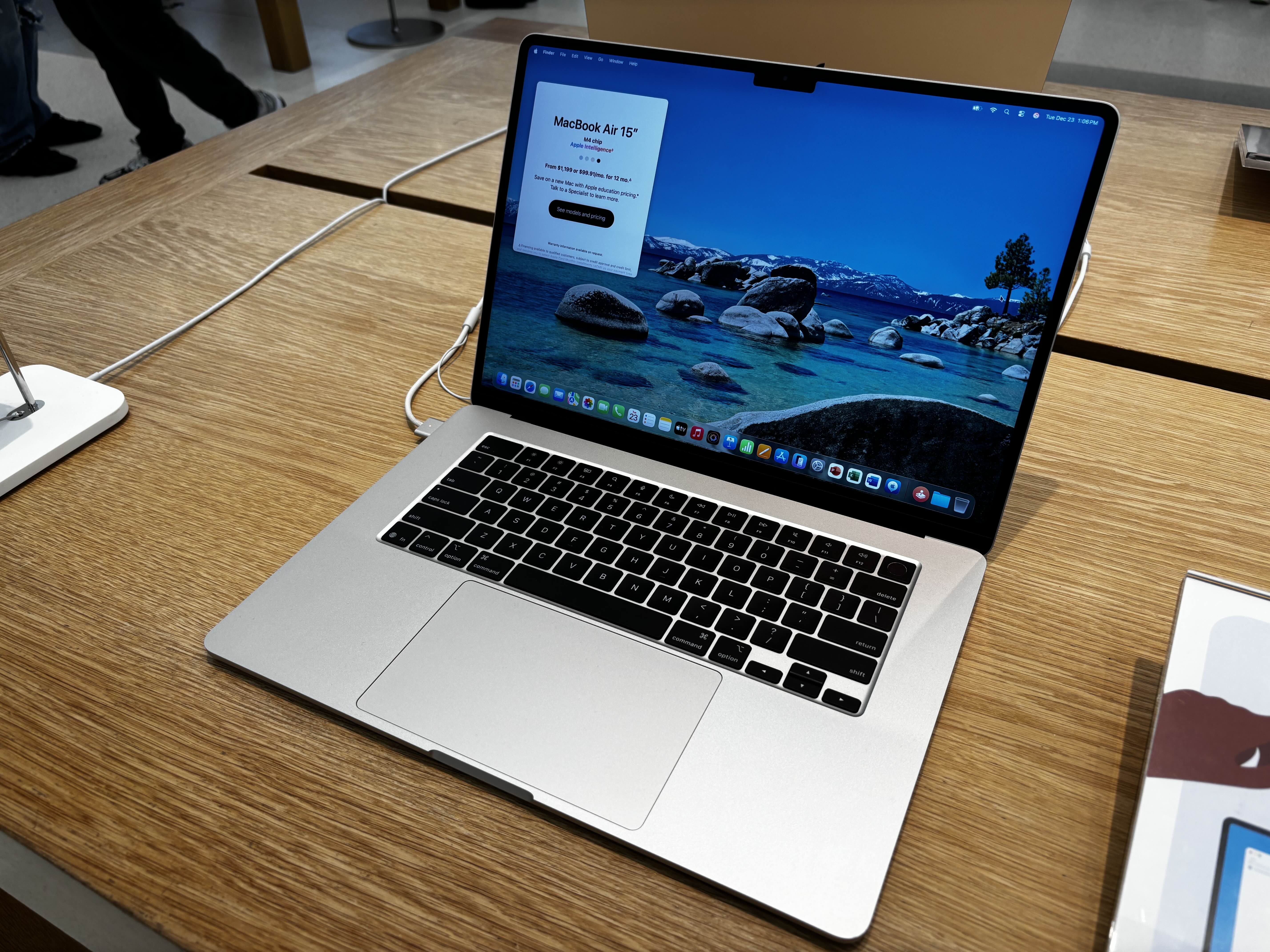
Photo source: 15-inch MacBook Air M4 — AzureSaturn. Photo: AzureSaturn, CC0 https://creativecommons.org/publicdomain/zero/1.0/ . Unedited 2025 photo; the displayed price is historical, not a current offer.

Commercial transparency: no affiliate tracking or merchant offer is configured for this batch. Source links are references. No compensation, loaned product or sponsorship is asserted. Read the site disclosure.
Editorial Summary
Workflow dependent: the equal-weight portability, built-in workspace and expansion rubric ties at 4/5 each. Prefer the smaller M5 for carrying convenience or the larger M4 for screen space, after checking the specific older unit and current quotes.
Was this assessment helpful to your buying decision?
We aim to make every review clear, evidence-based, and useful. If you have a question or spot something we should improve, you can contact our editors below.