Start with the work your laptop must support, then choose a configuration and compare actual purchase terms. This guide considers three Mac models; it does not rank the whole laptop market.
Before you shortlist
Research basis: DelaTechHQ has not physically tested these laptops. This article interprets manufacturer documentation accessed on 24 September 2026. It contains no measured performance or battery results. Product photographs are credited third-party images, not our test units.
Write down your essential apps, the files you keep locally, the number of external monitors you want and the accessories you cannot replace. If an employer or course requires a particular platform, confirm that requirement before shopping. Then decide whether you will usually work on the laptop screen or at a desk with a monitor. This often makes the size choice clearer than a processor comparison.
How to read the order
The shortlist is ordered for a mobile document/browser worker who also needs desk flexibility: 13-inch M5 Air first, Neo second when its constraints fit, and the older 15-inch M4 Air third when screen space is the priority. These are conditional starting points, not market-wide awards or a value ranking. A reader prioritizing a larger integrated screen should start with option three. No current prices were verified, so the order does not imply affordability.
Option one: 13-inch M5 Air for a flexible mobile desk
Begin with the 13-inch M5 research review if you want a compact laptop with memory choices and a multi-display desk path. Its case is flexibility rather than a claim that everyone needs the newer chip. If you rarely use those capabilities, establish whether they justify the real quote. The product record lists the sourced specifications.
Option two: Neo for a bounded workflow
Read the Neo review if your applications and peripherals fit its fixed memory and single-external-display limits. Do not guess that a larger SSD will resolve a memory requirement. Its two USB-C sockets have different capabilities, so plan the connections before adding a dock to your basket. Check the Neo product record.
Option three: older 15-inch M4 Air for screen space
The 15-inch M4 review is relevant if you want a larger working surface and have an actual unit or offer to assess. Being older does not prove that it is a bargain. Compare the exact memory, storage, condition and terms with current alternatives. Its product record describes the historical model, not stock availability.
Questions to resolve before paying
- Does the exact configuration meet each essential app’s requirements?
- Will the intended monitor arrangement work with the laptop, dock and cables together?
- Are charger and adapters included in the actual quote?
- Can you live with the screen size at your preferred scaling?
- For an older unit, what condition evidence and return terms does the seller provide?
- Does replacing your present laptop solve a real problem?
Evidence and limitations
The shortlist draws on Neo specifications, M5 Air specifications, 15-inch M4 specifications and Apple’s Neo port guide. It contains no comparative runtime or performance measurements. Consult workload-specific evidence if gaming, rendering or specialist software is decisive.
A decision you can explain
Choose the smallest set of capabilities that meets your real requirements, with room for changes you can reasonably anticipate. If the requirements are still unclear, postpone the purchase rather than relying on a score. Use the Air comparison to separate portability from workspace and the USB-C article to check the desk plan.
Continue with the three-option Mac laptop guide, Air size-and-generation comparison, or USB-C and display explanation. Browse Laptops and the author profile.
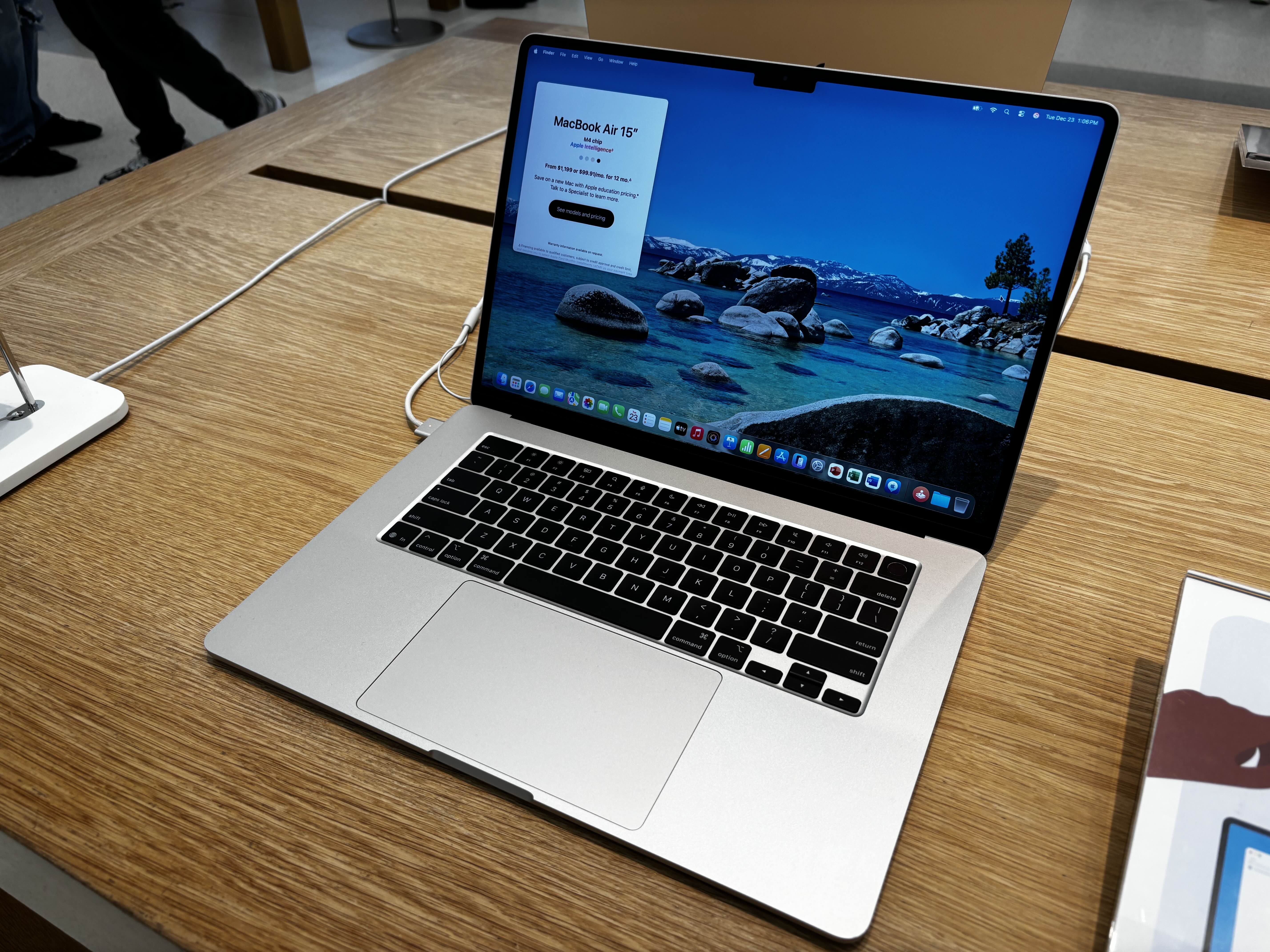
Photo source: 15-inch MacBook Air M4 — AzureSaturn. Photo: AzureSaturn, CC0 https://creativecommons.org/publicdomain/zero/1.0/ . Unedited 2025 photo; the displayed price is historical, not a current offer.

Commercial transparency: no affiliate tracking or merchant offer is configured for this batch. Source links are references. No compensation, loaned product or sponsorship is asserted. Read the site disclosure.
Recommendation 1
Mobile desk-work starting point
Apple MacBook Air (13-inch, M5, 2026) from Apple. First for this guide’s portable desk-work brief: memory options and multi-display flexibility.
View product and offersRecommendation 2
For a bounded workflow
Apple MacBook Neo (A18 Pro, 2026) from Apple. Second when its memory and connection limits fit; assess a real quote rather than assuming a price advantage.
View product and offersRecommendation 3
Larger-screen alternative
Apple MacBook Air (15-inch, M4, 2025) from Apple. Start here if screen space matters most; this older model needs unit-specific condition and terms checks.
View product and offersRelated Content
ASUS Zenbook A14 Review: What UX3407NA Offers Travelers
Zenbook A14 UX3407NA reviewed through official specifications, with low mass, HDMI, panel choices and Windows on Arm trade-offs.
Read MoreRelated Content
15-inch MacBook Air M4 Review: An Older Large-Screen Option
What the older 15-inch M4 Air offers on paper, and what to check about configuration, condition and price before considering a specific unit.
Read MoreBuying Advice
Check essential app requirements, memory, local storage, monitor count and accessory compatibility first. Compare current quotes only after matching configuration and condition. Older M4 offers need individual verification. Our order favors portable desk-work flexibility, not the lowest price or measured performance.
How We Test
Consult the linked reviews for product-specific testing notes and evidence.