Introduction
The 13-inch M5 MacBook Air is the starting point in this small shortlist for a reader who carries a laptop regularly but also connects to a desk. That recommendation is about configuration and connection options. It does not establish that this laptop is faster, better value or more comfortable than every alternative.
Research basis: DelaTechHQ has not physically tested these laptops. This article interprets manufacturer documentation accessed on 24 September 2026. It contains no measured performance or battery results. Product photographs are credited third-party images, not our test units.
Key specifications
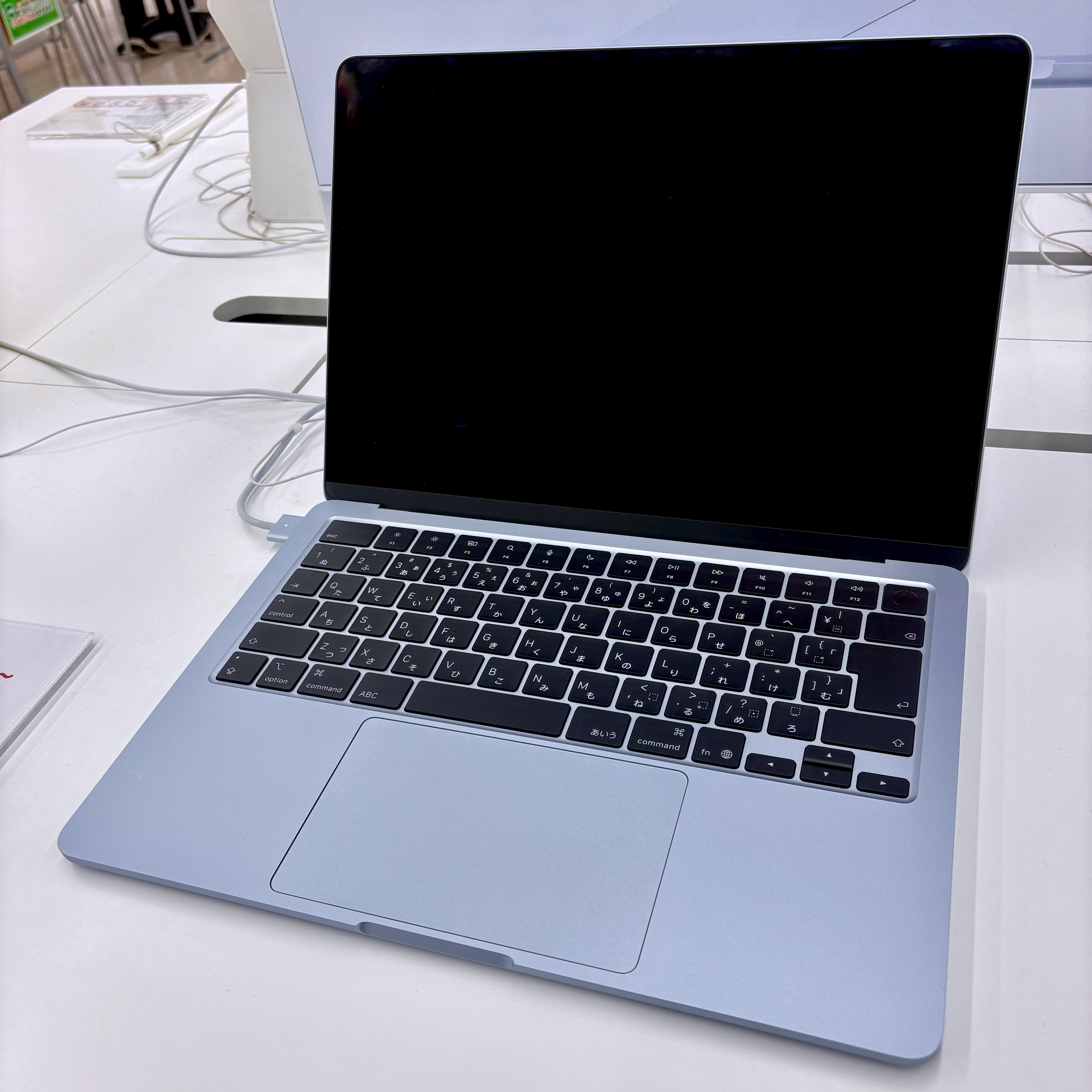
Apple’s 13-inch M5 specification lists 16GB base memory with 24GB and 32GB options, plus a 512GB base SSD. Its 13.6-inch IPS screen is specified at 2560 × 1664 pixels, 500 nits and P3 color. Listed mass is 1.23kg, subject to variation. The official specification separates this model from the 15-inch version; the product record keeps that distinction.
Design and build
Apple’s M5 announcement describes the Air as fanless. That does not tell us its sustained workload speed, surface temperature or durability. The practical appeal of the smaller format is easier accommodation in a mobile setup; measure your bag and desk space rather than choosing on the product name alone.
Features and everyday implications
Two Thunderbolt 4 ports and a separate MagSafe charging connection give you a useful way to organize a desk. When charging through MagSafe, both USB-C sockets remain available for accessories. Apple documents support for up to two external displays with the internal screen active; the supported resolution and refresh rate depend on the arrangement. Confirm your intended monitor combination in Apple’s specification before buying a dock.
The memory choices make this model a more flexible starting point than the Neo when your software requirements exceed 8GB. That is a purchasing distinction, not a benchmark. Specify the memory needed for the work you actually expect to do, and include storage, adapters and backup arrangements in the quote you compare.
Strengths and limitations
The strengths are a compact format and options that can accommodate a broader desk-work brief. The compromise is built-in screen space: if you routinely arrange reference material beside a document without an external monitor, the 15-inch M4 Air deserves consideration. Its larger size should not be confused with proof of superior processing performance. Neither model has an HDMI or USB-A socket in Apple’s listed port set, so check adapter needs.
Who it suits and who should consider alternatives
Start here if mobility, memory choice and a multi-display desk all matter. If your requirements fit a narrower configuration, read the Neo review before paying for capabilities you may not use. If sustained rendering, gaming or specialist software drives the purchase, seek workload-specific testing and compatibility evidence beyond this research-only shortlist.
Conclusion and score
Editorial capability score: 4/5. Our modest document/browser/calls brief starts at 3/5 for a portable Mac with an integrated screen and external-display support. We add 0.5 for a documented memory option of at least 16GB (available) and 0.5 for two external displays alongside the internal screen (available). This is configuration flexibility, not measured speed, value for money or a customer rating. Research-only scores are capped at 4/5. Battery, thermals, keyboard feel and reliability are unscored.
The smaller Air is a reasonable shortlist leader for our mobile desk-work brief, not an automatic upgrade for someone whose current laptop already meets their needs. Decide whether configuration flexibility solves a real problem, then compare an actual quote. We publish no current price or battery-runtime promise.
Continue with the three-option Mac laptop guide, Air size-and-generation comparison, or USB-C and display explanation. Browse Laptops and the author profile.
Sources and transparency
Photo source: 13-inch MacBook Air M5 — Kyu3a. Photo: Kyu3a, CC BY-SA 4.0 https://creativecommons.org/licenses/by-sa/4.0/ . Source discloses AI cleanup; no further edits by DelaTechHQ.

Commercial transparency: no affiliate tracking or merchant offer is configured for this batch. Source links are references. No compensation, loaned product or sponsorship is asserted. Read the site disclosure.
Pros
- Memory options support a broader configuration brief than the Neo.
- Dedicated charging leaves both Thunderbolt ports available.
Cons
- Smaller built-in workspace than the 15-inch Air.
- HDMI and USB-A equipment requires a suitable adapter or dock.
Verdict
Research-based editorial score, 4/5 under our capability rubric. A suitable starting point for mobile work needing memory and display flexibility; this is not a tested performance or value rating.
Detailed Breakdown
Memory flexibility
16GB base with 24GB/32GB options: +0.5.
Desk expansion
Two external displays alongside internal screen: +0.5.
Evidence boundary
No battery, thermal or workload measurements.
Alternatives
Consider these competing routes before buying if you need a different platform, budget, or feature set.
Price Comparison
No active retailer offers are available yet.
View Product DetailsWas this assessment helpful to your buying decision?
We aim to make every review clear, evidence-based, and useful. If you have a question or spot something we should improve, you can contact our editors below.