Introduction
The MacBook Neo is worth considering when you want a compact Mac and have a clearly defined, modest workload. The useful question is whether its limits match your work, not whether the processor name sounds sufficiently laptop-like. Start with the apps you must run, the files you keep locally and the equipment already on your desk.
Research basis: DelaTechHQ has not physically tested these laptops. This article interprets manufacturer documentation accessed on 24 September 2026. It contains no measured performance or battery results. Product photographs are credited third-party images, not our test units.
Key specifications
Apple lists an A18 Pro chip, 8GB memory, 256GB or 512GB SSD storage and a 13-inch IPS display. The display specification is 2408 × 1506 pixels, 500 nits and sRGB color. Listed weight is 1.23kg, subject to manufacturing/configuration variation. See the official Neo specifications and product record.
Design and build
Apple describes an aluminum enclosure and fanless design in its Neo announcement. Those are construction facts, not evidence that a particular unit will survive a drop or feel comfortable after hours of typing. If keyboard feel matters to you, try a display unit and check the return terms before committing.
Features and everyday implications
The two USB-C sockets do different jobs. Apple documents USB 3 data and display output on one and USB 2 data on the other; either accepts charging. Its port guide recommends charging through USB 2 to keep USB 3 free. A practical desk plan is therefore to reserve the more capable port for the monitor or data accessory, rather than treating the sockets as interchangeable.
Apple supports one external display up to 4K at 60Hz alongside the laptop screen. Thunderbolt-only accessories are not supported. Check the precise dock model: a matching connector is insufficient evidence of compatibility. For a two-monitor desk, look at the Air alternatives before buying adapters.
Strengths and limitations
The attraction is a straightforward portable Mac for a bounded workflow. The main constraint is the fixed 8GB memory specification. We cannot responsibly translate that into an exact tab count or promise smooth behavior in your apps. Open your usual workload on a comparable configuration where possible, and check each essential application’s requirements. Extra storage does not change the documented memory capacity.
Who it suits and who should consider alternatives
Consider the Neo if you work mainly in documents and browser services, need no more than one external display, and have checked app compatibility and a real local quote. Consider the 13-inch M5 Air review if memory options and desk expansion matter. Readers who prefer a larger integrated screen can examine the 15-inch M4 Air review, with its older-model caveats.
Conclusion and score
Editorial capability score: 3/5. Our modest document/browser/calls brief starts at 3/5 for a portable Mac with an integrated screen and external-display support. We add 0.5 for a documented memory option of at least 16GB (not available) and 0.5 for two external displays alongside the internal screen (not available). This is configuration flexibility, not measured speed, value for money or a customer rating. Research-only scores are capped at 4/5. Battery, thermals, keyboard feel and reliability are unscored.
The Neo should remain on a shortlist only when its specific limits are acceptable. A lower actual quote could make that compromise sensible, but no current price or discount has been verified here. Choose from requirements first and then compare the total cost of the laptop and any required accessories.
Continue with the three-option Mac laptop guide, Air size-and-generation comparison, or USB-C and display explanation. Browse Laptops and the author profile.
Sources and transparency
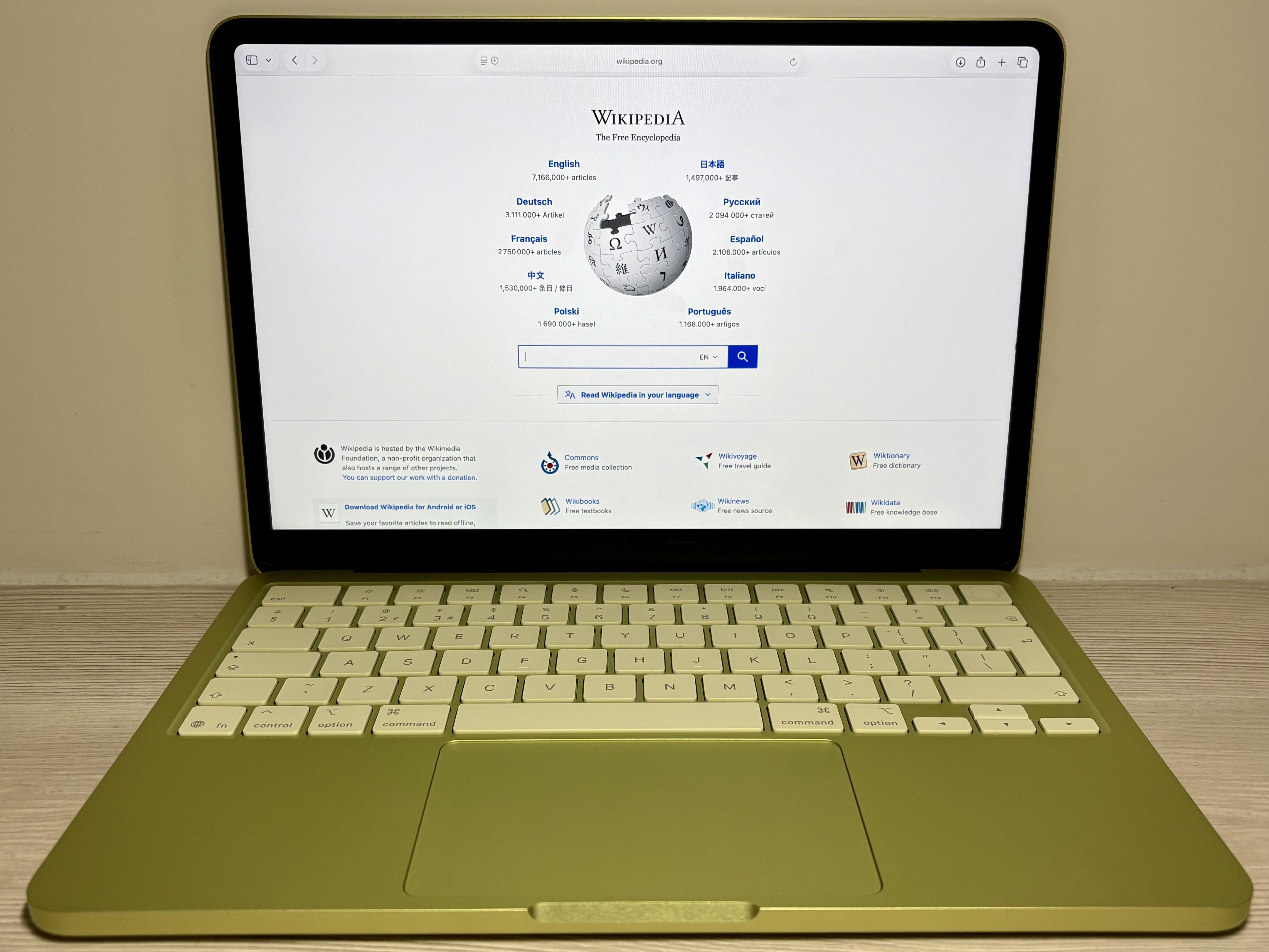
Photo source: MacBook Neo in Citrus — Padgriffin. Photo: Padgriffin, CC BY 4.0 https://creativecommons.org/licenses/by/4.0/ . No edits by DelaTechHQ.

Commercial transparency: no affiliate tracking or merchant offer is configured for this batch. Source links are references. No compensation, loaned product or sponsorship is asserted. Read the site disclosure.
Pros
- Compact footprint for a portable work setup.
- Both USB-C ports can charge the laptop.
Cons
- 8GB is the only documented memory capacity.
- Thunderbolt-only accessories are incompatible; only the USB 3 port supports a display.
Verdict
Research-based editorial score, 3/5 under our capability rubric. Consider the Neo only if your apps and peripherals fit its limits; no price advantage or tested performance is assumed.
Detailed Breakdown
Memory flexibility
8GB only: no extra rubric credit.
Desk expansion
One external display: no extra rubric credit.
Evidence boundary
Manufacturer documentation; no physical testing.
Alternatives
Consider these competing routes before buying if you need a different platform, budget, or feature set.
Price Comparison
No active retailer offers are available yet.
View Product DetailsWas this assessment helpful to your buying decision?
We aim to make every review clear, evidence-based, and useful. If you have a question or spot something we should improve, you can contact our editors below.