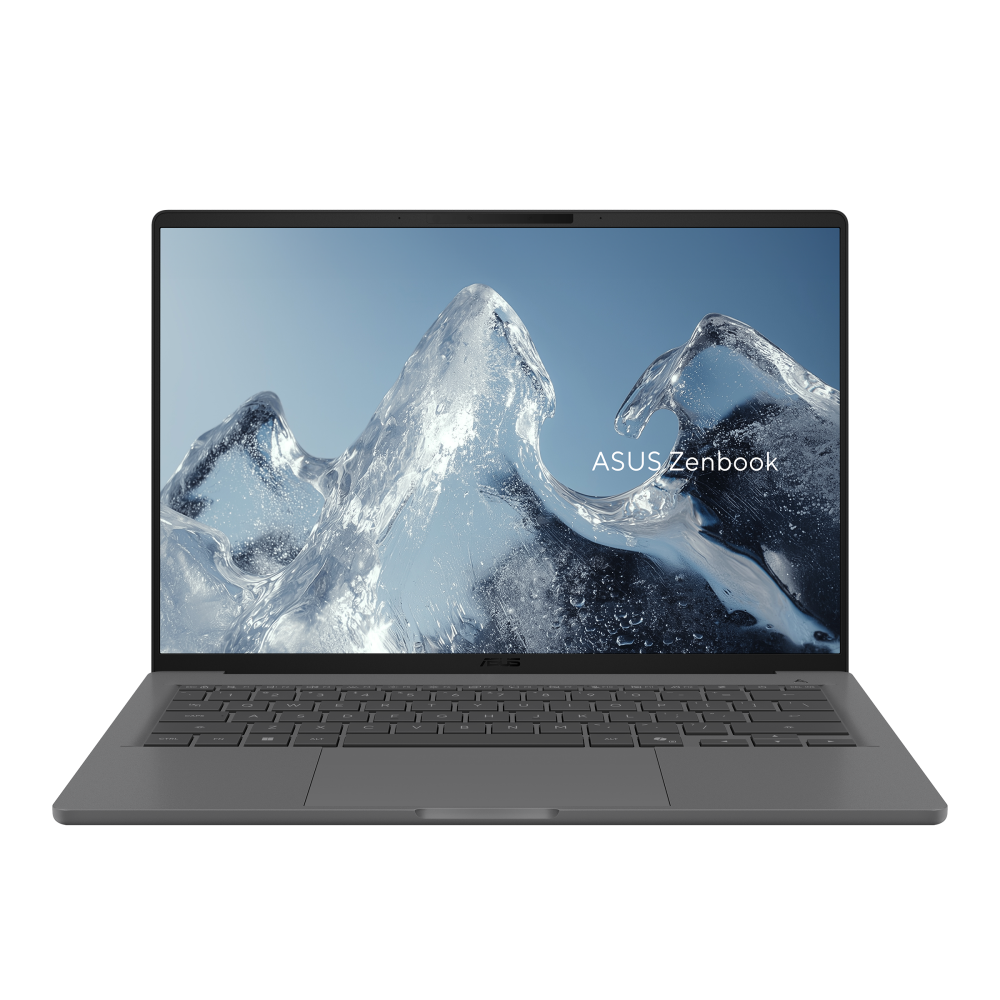
A light Windows laptop with practical ports
Zenbook A14 UX3407NA is the current Snapdragon X2 Elite variant in ASUS's A14 family. Its strongest documented proposition is portability without discarding USB-A or HDMI. For a commuter whose work is primarily browser-based, document-based or supported by Arm-native applications, that combination deserves a place on the shortlist.
The suffix matters. ASUS lists several UX3407 models on one page, with different processors, displays and batteries. This review concerns UX3407NA only and does not transfer specifications from QA or RA variants. DelaTechHQ has not physically tested it; research was checked on 4 October 2026.
Key specifications and what to verify
- Processor: Snapdragon X2 Elite X2E88100, listed with 18 cores.
- Graphics: Qualcomm Adreno integrated graphics.
- Display family: 14-inch non-touch OLED; the NA column lists WUXGA 60Hz and 3K 120Hz options.
- Connections: two USB4 Type-C ports with display/power support, USB-A, HDMI 2.1 TMDS and a 3.5mm combination audio jack.
- Battery: 70Wh in the NA column.
- Weight: ASUS lists 0.99kg for this variant.
The ASUS specification matrix is the source. Memory, storage, panel and included accessories must be confirmed against a local SKU. Do not assume every A14 has the highest-resolution screen merely because it appears in the family matrix.
Design and screen choices
At the documented mass, the A14 is appealing when carrying weight is a daily concern. That is a concrete advantage for someone moving between classrooms, client sites or shared desks. It does not tell us how the hinges feel, whether the keyboard suits you or how the case wears over time.
The panel choice needs an explicit purchase check. Higher resolution can offer finer detail, but application scaling determines how much additional information fits. The published refresh rates also differ between options. If your retailer only says “OLED,” request the exact resolution and refresh rate before comparing prices.
Neither documented option is a touchscreen. If you habitually tap controls or navigate documents by touch, Surface Laptop 13.8-inch addresses that need more directly. OLED as a technology label is not a measured verdict on color accuracy or reflections.
Performance platform
The 18-core specification identifies the processor configuration, not a DelaTechHQ benchmark result. Core counts across different designs or power settings cannot establish the winner for a particular application. Integrated graphics also should not be treated as a substitute for checking the requirements of a GPU-heavy workload.
As with Surface, the first compatibility question is Windows on Arm. Microsoft explains that drivers need suitable Arm support. Make a short list of essential software and peripherals, including less obvious dependencies such as a VPN or specialist scanner. Confirm those before using the laptop's low mass as the deciding factor.
Connectivity at home and away
Built-in HDMI is the practical differentiator for presentations and existing monitors. The TMDS qualification matters: do not assume the port supports every display mode associated with the broad HDMI 2.1 name. Check your monitor's resolution and refresh requirements against the exact output specification.
USB-A is useful for existing receivers and storage devices, while USB4 provides further expansion. When charging through USB-C, account for the occupied socket in your desk plan. A single adapter can make a light laptop convenient; a collection of adapters can undermine the reason you bought it.
Battery, configuration and ownership
The 70Wh figure is energy capacity, not an endurance measurement. We do not extrapolate a number of working hours from it or compare it directly with another manufacturer's battery test. Screen choice, workload and power settings can all affect results. ASUS lists different power adapters and regional inclusion conditions, so verify the actual package before travel.
On-board memory makes choosing the appropriate memory configuration upfront important. Do not order a small configuration on the assumption that a later RAM upgrade will solve a workload mismatch. Storage and memory should be selected for your own working files and applications rather than the family name.
Conclusion and score
4/5: a strong research-based option for portability-focused users whose software supports Windows on Arm. Low published mass and direct HDMI are useful strengths. Non-touch operation and configuration-dependent panels are the main compromises for this audience. No rating is assigned to unmeasured battery life, sound, keyboard feel or sustained performance.
Choose the A14 when you value carrying less and connecting directly to HDMI equipment. Prefer Surface when touch matters more, or another platform if application compatibility requires it. Continue with the paired comparison, A14 product record and Laptops. Our MacBook USB-C guide provides a useful alternative-platform perspective on planning desk connections. Manufacturer references are non-affiliate links.
Pros
- Published mass below 1kg
- Direct HDMI plus USB-A and USB4
- Documented OLED panel options
Cons
- Non-touch display
- Exact panel and memory require SKU verification
- Windows on Arm compatibility is a purchase condition
Verdict
4/5 for portability-focused compatible workflows: low mass and HDMI are strengths, with non-touch input and configuration caveats.
Alternatives
Consider these competing routes before buying if you need a different platform, budget, or feature set.
Price Comparison
No active retailer offers are available yet.
View Product DetailsWas this assessment helpful to your buying decision?
We aim to make every review clear, evidence-based, and useful. If you have a question or spot something we should improve, you can contact our editors below.