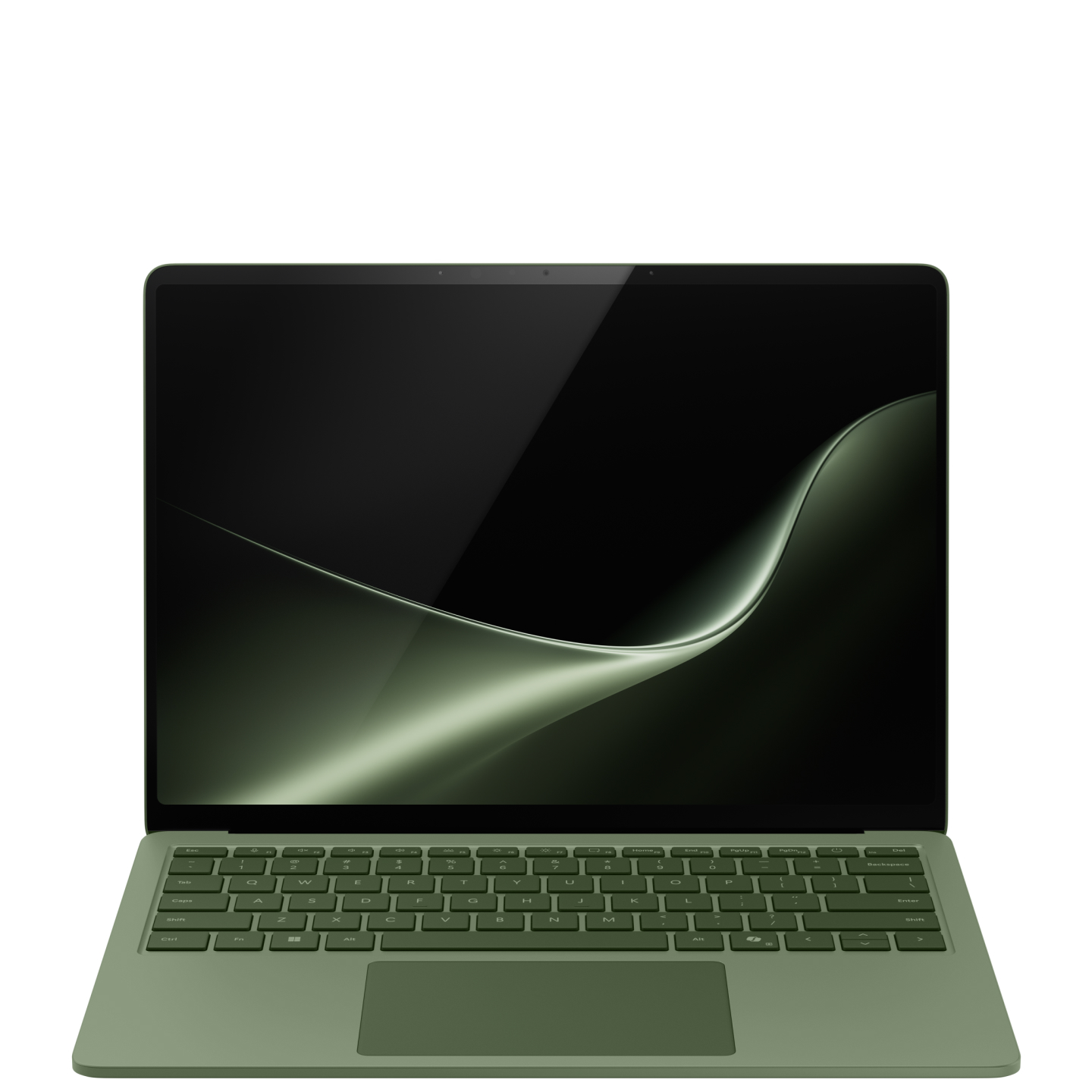
A touch-first Windows laptop for mobile desk work
Surface Laptop 13.8-inch (8th Edition) is a sensible starting point for a reader who wants a conventional Windows laptop with touch input, a relatively tall display and several useful connections. This review concerns the current Snapdragon X2 consumer model, not a similarly named Intel business configuration or the older 7th Edition.
DelaTechHQ has not physically tested this laptop. Research checked on 4 October 2026 uses Microsoft's current product table and Windows on Arm documentation. We assess suitability for documents, browsing, meetings and supported productivity applications, not measured rendering speed or gaming performance.
Verified configuration boundaries
- Display: 13.8-inch HDR PixelSense touchscreen LCD, 2304 × 1536, with 120Hz listed by Microsoft.
- Processor options: Snapdragon X2 Plus with 10 cores or X2 Elite with 12 cores.
- Connections: two USB-C/USB4, USB-A 3.2, a 3.5mm audio jack and Surface Connect.
- Sign-in: Windows Hello facial recognition.
- Published mass: 1,342g, subject to Microsoft's configuration footnotes.
- Manufacturer battery headline: up to 20 hours for the 13.8-inch model, under its specified test conditions.
The current Surface lineup identifies these features. Confirm memory, storage and charger inclusion on the exact configuration you intend to buy. This review does not combine the cheapest configuration's price with another configuration's specifications.
Display and physical use
Touch input is the strongest reason to choose this Surface over the Zenbook A14 considered alongside it. It gives you an additional way to navigate, select controls or move around a document. That does not turn a fixed laptop into a detachable tablet, so think about how often you will actually reach across the keyboard.
The 3:2 resolution offers a taller shape than a typical 16:10 screen. It may suit documents and long pages, although usable workspace also depends on display scaling. The refresh specification does not prove color accuracy, low reflections or outdoor visibility. Those remain questions for hands-on evidence.
Performance platform and compatibility
Both published processor options use the Windows on Arm platform. Choose between them only after identifying the applications and workloads that matter. More cores do not, on their own, tell you whether a spreadsheet, browser session or design application will feel faster.
Microsoft's compatibility guidance distinguishes application support from driver support. Emulation can help with many applications, but it is not a universal solution for hardware drivers. Check a specialist printer, VPN, audio interface, accessibility tool or required game before committing. This is particularly important if the laptop must fit an employer's managed environment.
Ports and desk connections
The mixture of USB-A and USB-C means a common older peripheral need not immediately require an adapter. Surface Connect provides a separate charging connection, while the audio jack supports a conventional wired headset connection. Microsoft does not list built-in HDMI for this size, so a display that only accepts HDMI needs suitable conversion or a dock.
USB4 capability is useful, but the socket shape alone does not prove that every dock, monitor and cable combination works at its maximum rate. Check the complete path between laptop and display. If direct HDMI is central to your work, the Zenbook A14 review deserves attention.
Battery and carrying weight
Microsoft's up-to-20-hour figure is a controlled manufacturer claim. It should not be read as 20 hours of video meetings, compilation or full-brightness work. A buyer replacing a desktop should plan power around the demanding part of the day rather than the longest advertised scenario.
The documented mass makes the Surface heavier than the reviewed Zenbook variant. That difference can matter to someone carrying a computer all day. Include the charger and any dock in your own travel calculation; comparing bare laptops alone can conceal a bulky accessory requirement.
Recommendation and score
4/5: a strong documented fit for mobile productivity when touch input and the port mix matter, and required applications support Windows on Arm. The principal compromises are its higher mass than the A14 and lack of direct HDMI. Compatibility is a purchase condition, not a minor detail to discover afterward. We have not scored actual keyboard feel, battery endurance or sustained performance.
Choose it for touch-led navigation and a desk setup that suits its connections. Consider the A14 for less carrying weight and HDMI; consider a different Windows platform if a required driver is unsupported. Read the Surface versus Zenbook comparison, Surface product record and Laptops archive. Readers deciding between operating systems can also consult our MacBook Air 13 M5 review, after checking their software requirements. Reference links have no affiliate tracking added.
Pros
- Touch input and tall display shape
- USB-A alongside USB4
- Dedicated Surface Connect charging connection
Cons
- Windows on Arm driver compatibility needs checking
- No built-in HDMI listed
- Higher published mass than the reviewed A14
Verdict
4/5 for compatible mobile productivity: touch and connection flexibility are strengths; mass and HDMI conversion are trade-offs.
Alternatives
Consider these competing routes before buying if you need a different platform, budget, or feature set.
Price Comparison
No active retailer offers are available yet.
View Product DetailsWas this assessment helpful to your buying decision?
We aim to make every review clear, evidence-based, and useful. If you have a question or spot something we should improve, you can contact our editors below.